
Build a /warn command only your moderators can run
A moderation command is only safe if the wrong people cannot run it. Here is how to gate a command by permission, take a member as an option, and keep the reply private.
Md Shahriyar Alam
a month ago
Moderation commands are the first thing most servers want and the easiest thing to get wrong. A /warn that anyone can run is not a moderation tool, it is a way for your members to warn each other.
Three things make the difference, and none of them need an event handler. This is one plain slash command.
1. Take the member as a real option
Do not ask people to paste a user id. Give the command a member option and Discord renders a picker: they start typing a name, Discord completes it, and your command receives the actual member.
That is worth doing for correctness as much as convenience. A pasted id can be a typo, a copied message id, or a user from another server. A picked member cannot be any of those.
The same applies to the other option types. If your command needs a channel, use a channel option. A role, a role option. Each one gives the person running it the right picker and hands you something valid.
Add a second text option for the reason, and mark it required. A warning with no reason is an argument later.
2. Gate it by permission
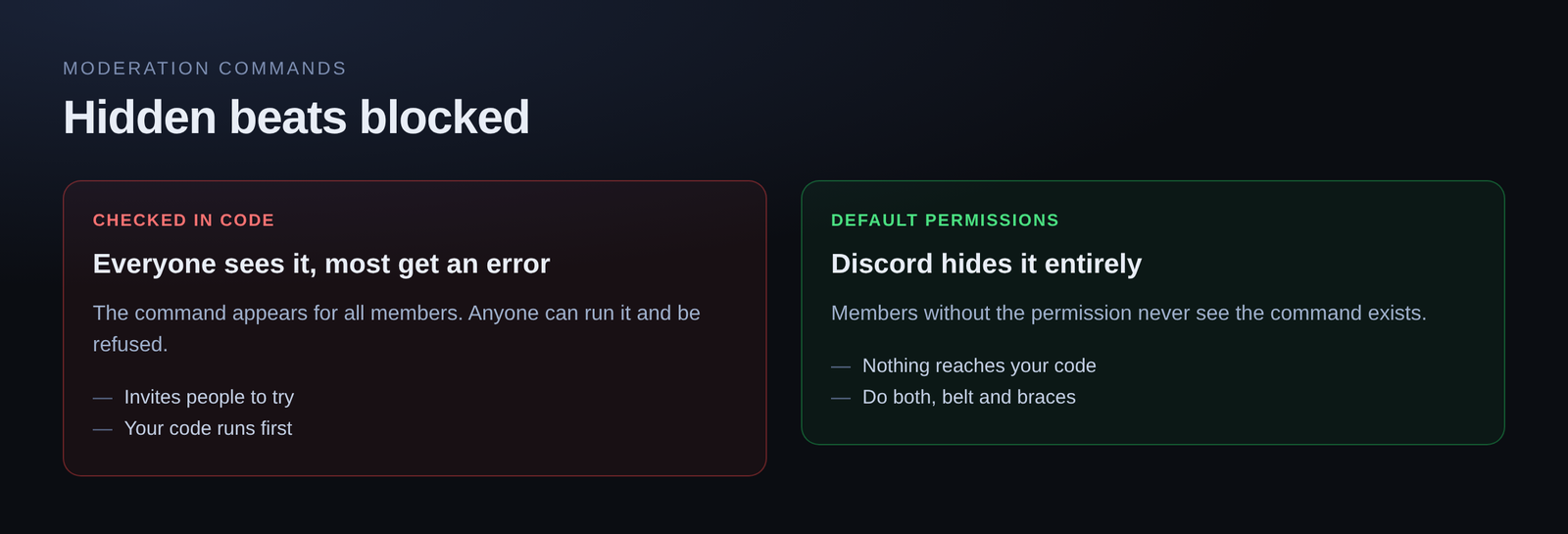
This is the part that actually protects the command. Every command has default permissions — the Discord permissions someone must hold for the command to even appear for them.
Set that to something only your staff have, like Moderate Members or Kick Members. Discord then hides the command from everyone else. Not "shows an error when they run it" — hides it. They cannot invoke what they cannot see.
That is a much stronger guarantee than checking inside the command, because it never reaches your code at all.
If you need finer control than a permission flag gives you — say, one specific role rather than a permission — you can check inside the command as well:
has_permission(user, "moderate_members")Use both. The permission gate keeps the command out of sight, and the check inside is what makes it true.
3. Take the action
With the member in hand, the actions are direct:
timeout_member(target, reason="1 minutes")The reason matters more than it looks. It lands in Discord's own audit log, so six weeks later, when someone asks why a member was actioned, the answer is recorded in Discord rather than in someone's memory.
The other moderation actions follow the same shape:
kick_member(target, reason="spamming general channel")
ban_member(target, reason="ban evasion")
mute_member(target)
change_nick(user, "Rule Breaker")
4. Make the reply ephemeral
A moderation command should reply ephemerally — only the person who ran it sees the response.
This is a one-switch change and it matters for two reasons. Your channel does not fill up with bot confirmations, and a warning does not become a public spectacle in the channel where it happened.
The action is still logged. It just is not announced.
Putting it together
The finished command is:
- A member option and a required reason option
- Default permissions set to a moderator-only permission
- One action call with the reason passed through
- Ephemeral reply switched on
No event handler, no listener, nothing running in the background. It is a slash command that does one thing when invoked.
A note on cooldowns
If you want to stop a moderator accidentally firing the same command five times, a cooldown keyed to the moderator works:
cooldown("10 seconds", key=user.id)Keyed to user.id, so one moderator being slow does not block the rest of your staff.
Free plan
Slash commands, typed options, permission gating and ephemeral replies are all on the free plan — 5 slash commands, 200 runs a day, no card.
Loading comments…