
Build custom commands with AI
Stop coding bots from scratch—now you can build Discord commands just by chatting with AI.
Md Shahriyar Alam
3 months ago
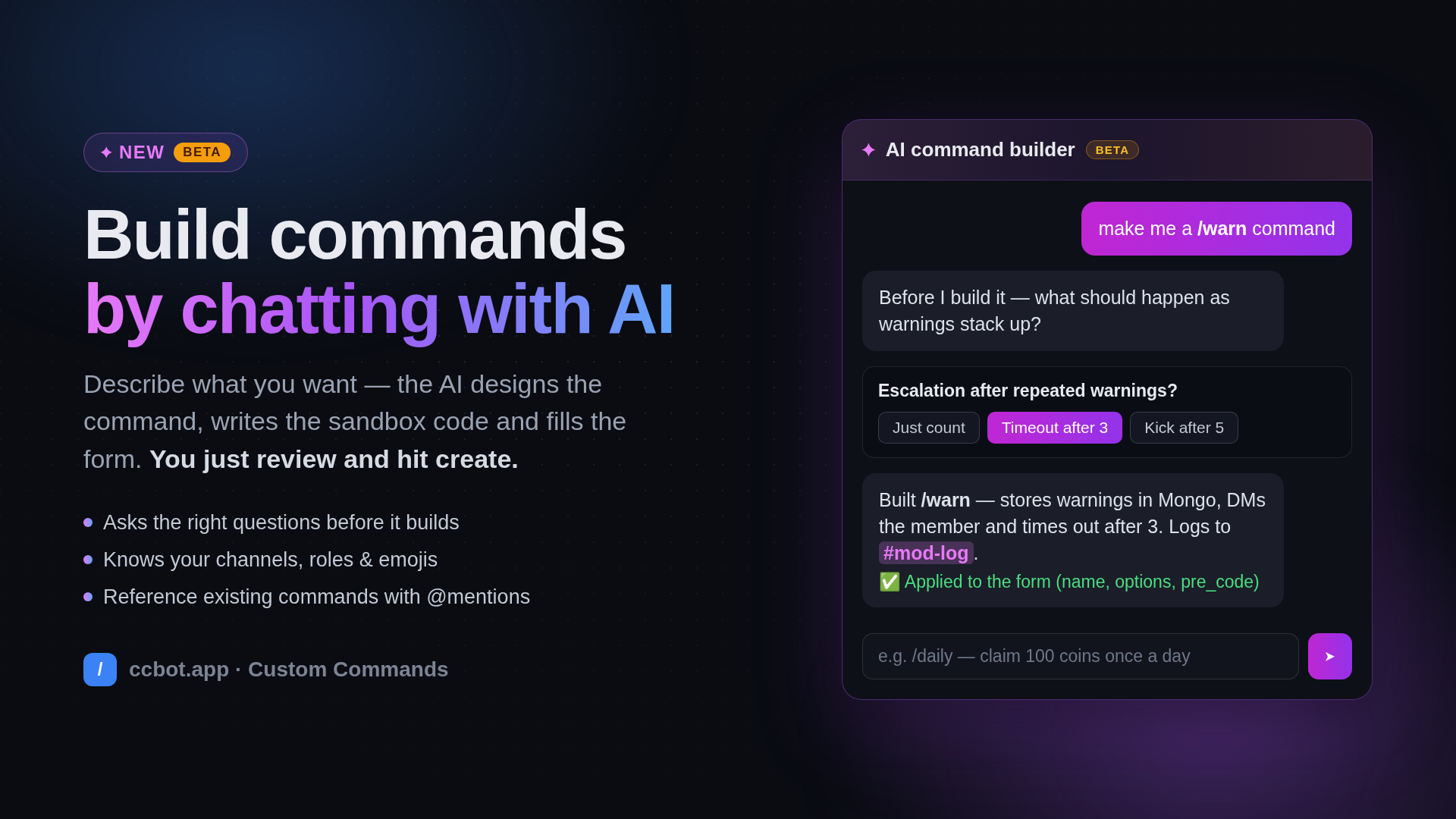
Introducing the AI command builder (beta) — now live on ccbot.app
Building a custom command used to mean knowing what you want and how to wire it together: the options, the response, the sandbox code. Today that second part becomes optional.
Open any command form on the dashboard and you'll find a new AI Builder button floating in the corner. Click it, describe what you want in plain language, and watch the AI design the command, write the code and fill the entire form in front of you — name, description, options, response, permissions, everything. You review, tweak anything you like, and hit Create Command. That's it.
It asks before it assumes
Type "make me a warn command" and it won't just dump a generic template on you. It knows that request has ten possible shapes, so it asks — with real clickable choices, not a wall of text:
What should happen as warnings stack up?
Just count them·Timeout after 3·Kick after 5
Yes/no buttons, multiple choice, checkbox lists, and dropdowns for longer picks — like choosing which of your channels the log should go to. Answer a couple of questions and it builds exactly the command you had in your head. Already know precisely what you want? Say it in one message and it skips the questions entirely.
It knows your server
The AI sees your actual channels, roles and custom emojis while it works. Ask for a suggestion command and it will offer your channels to post into — then write the code against the real channel ID, not a guess. Server emojis land in replies as proper <:emoji:id> tags.
It can also see your existing work: type @ in the chat to mention any of your commands or events. Mention @giveaway-end and it can wire a new command to trigger that exact event; mention @daily and it can build a /balance command that reads the same database.
It writes code that actually runs
Under the hood, command code runs in our Python sandbox with its own rules — no loops, auto-awaited helpers, strict API surface. The AI was trained on the exact sandbox specification extracted from the bot's source, and every piece of generated code passes through a validator that catches anything that would break at runtime — invented functions, forbidden constructs, wrong await usage. If something is off, the AI fixes it before you ever see it, and the whole exchange streams live so you're never staring at a dead spinner.
The details
- Streaming replies — watch the answer appear token by token, stop it anytime
- Structured questions — buttons, checkboxes and dropdowns instead of essay answers
- @mentions — reference your existing commands and events, rendered as pills
- Server-aware — real channels, roles and emojis, IDs over names
- Sandbox-validated — generated code is linted against the real execution rules
- Works everywhere — full panel on desktop, bottom sheet on mobile
- Iterative — "add a cooldown", "make the reply an embed", "store scores in Mongo" — it patches the form each time
Try it
The AI command builder is live now in beta for every server, on both slash and text command forms. Open your dashboard at ccbot.app, create or edit a command, and hit the glowing button.
We'd love to hear what you build — and what it gets wrong. Ping us on the support server with anything weird and we'll teach the AI better manners.
Loading comments…