
Describing a Discord command instead of writing one
You can type what you want in plain English and get a working command. How to describe it well, and why you should still read what comes back.
Md Shahriyar Alam
a month ago
The gap between "I want a command that does X" and having it has usually been an evening of reading docs.
Describing it is faster. But a vague description gets a vague command, and there is a real difference between a sentence that produces something you can use and one that produces something you throw away.
Say what happens, not what it is called
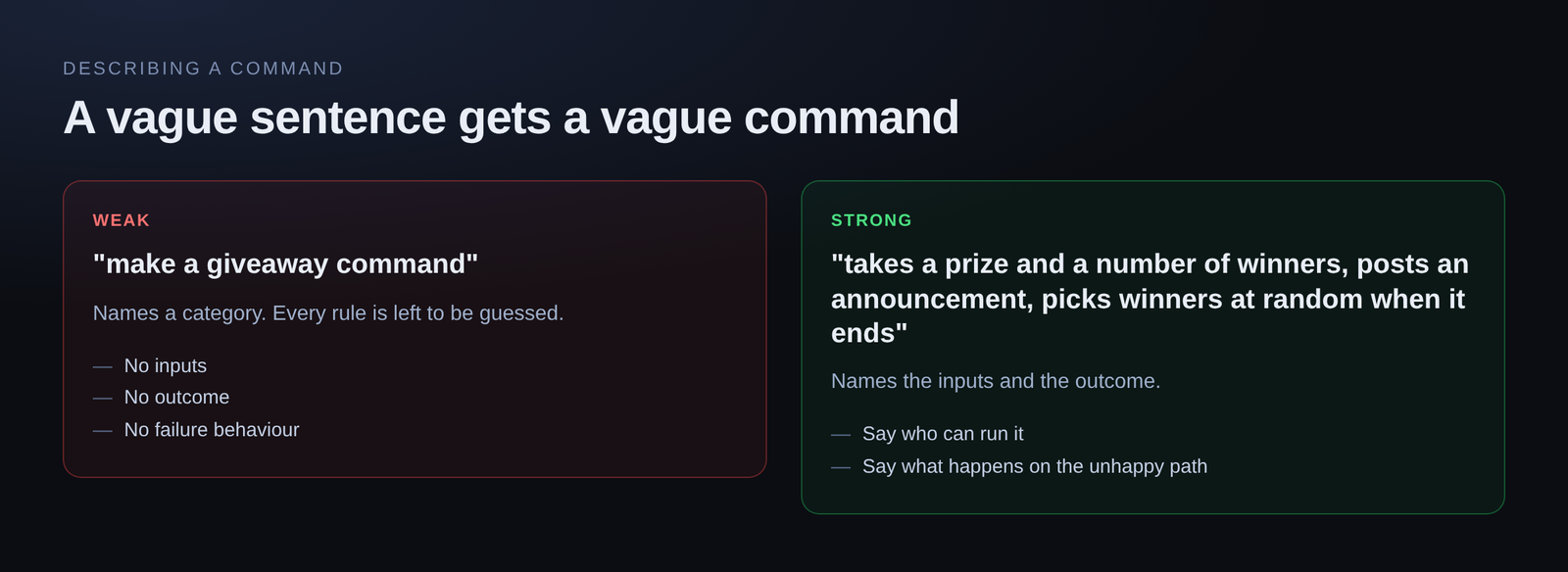
Weak: "make a giveaway command"
Strong: "a giveaway command that takes a prize and a number of winners, posts an announcement, and picks the winners at random when it ends"
The second one names the inputs and the outcome. The first names a category and leaves everything else to be guessed.
Include the numbers
Every rule you leave out becomes an assumption:
- How often can it be run?
- Per person, or per server?
- Who is allowed to run it?
- What happens on the first run, before anything is stored?
"a daily command that gives 100 coins, once per member per day, and remembers their balance" leaves almost nothing to guess. "a daily command" leaves all of it.
Name the failure
Most of a real command is what happens when things are not fine. Say what you want then:
- "if they already claimed, tell them how long is left"
- "if the member is not in the server, say so instead of erroring"
- "if the amount is more than they have, refuse it"
Describing the unhappy path is the single biggest difference between a demo and something you can leave running.
Iterate rather than restart
The first draft rarely lands exactly. That is expected, and the fix is not to rewrite your description from scratch.
Follow up: "make the cooldown per person, not per server". "Give a random amount between 50 and 150 instead". "Make the reply only visible to the person who ran it".
Each pass adjusts what is there. Restarting throws away the parts that were already right.
Read what it wrote
This is the part to take seriously.
You are going to run this in your server, against your members, possibly with moderation permissions attached. Read the command before you save it, especially:
- Who can run it. A moderation command with no permission gate is a problem waiting.
- What it changes. Anything that removes roles, kicks, bans or spends a balance.
- The cooldown key.
user.idandserver.idare one word apart and mean very different things.
You do not have to understand every line. You do have to check those three.
Test on a quiet channel first
Run it somewhere nobody is watching before you announce it. The first run is where you find out the reply is public when you wanted it private, or that the number is off by one.
Where it genuinely saves time
Boilerplate. Options, replies, embeds — the shape of a command is the same every time and there is no craft in typing it again.
Things you half-know. You know what you want and not the exact function name. Describing it beats searching.
Starting points. Even a draft that is 70% right is faster to edit than a blank editor.
Where it does not
Anything you cannot check. If you cannot tell whether the result is right, generating it faster does not help.
Very specific business rules. Once the logic has enough conditions, describing them precisely takes as long as writing them.
Try it
Free servers get 100 AI builder prompts a day, no card required. Paid tiers get 200, 300 and 500.
Describe one on the dashboard →
Loading comments…