
Discord embeds, and how to build one that does not look like a wall
Every part of an embed, what it is actually for, and the limits nobody tells you about until your message fails to send.
Md Shahriyar Alam
a month ago
An embed is the boxed message with a coloured bar down the left. Used well it makes an announcement look deliberate. Used badly it is a wall of text with a stripe on it.
Here is what each part is for.
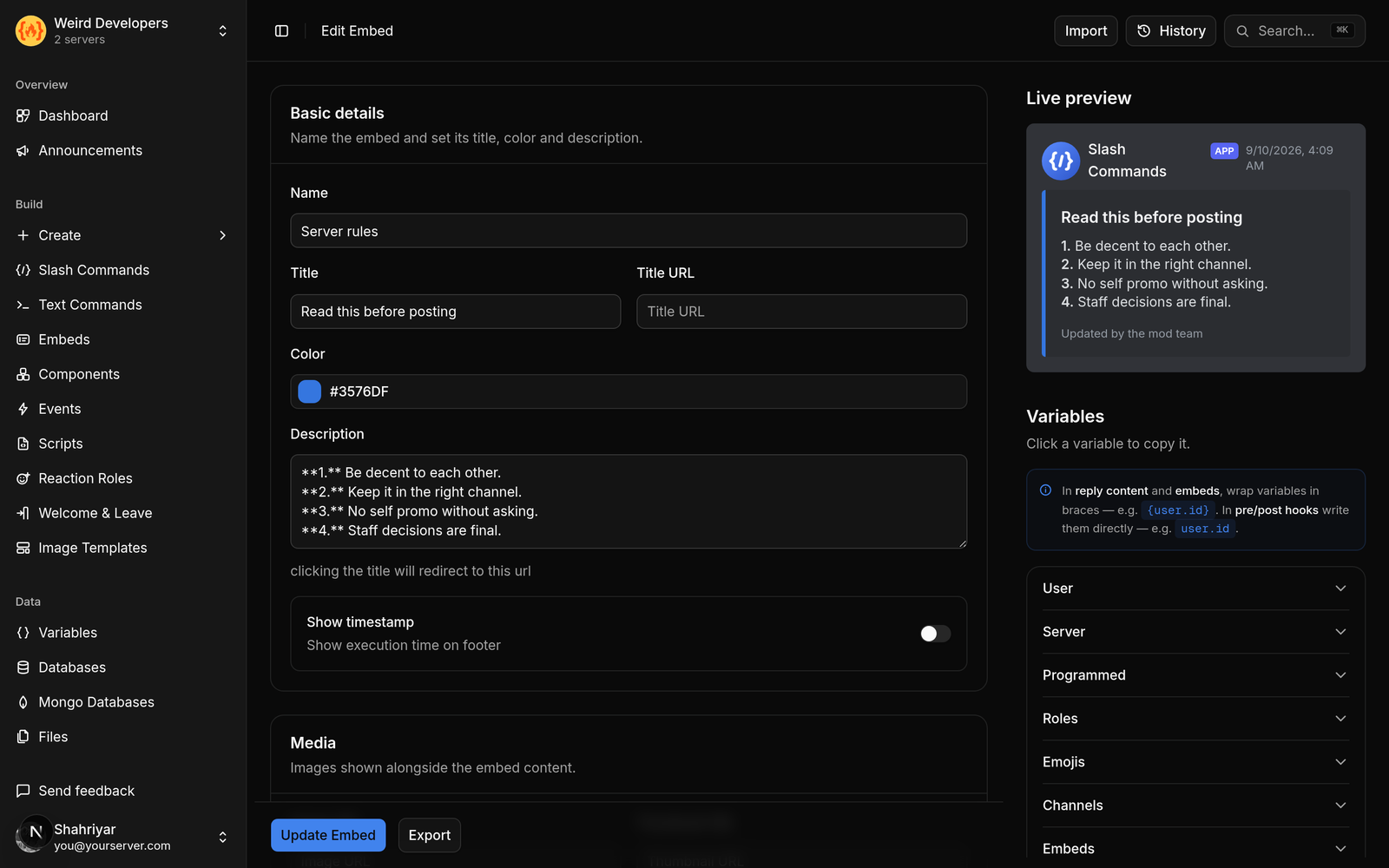
The parts
Title — one line, the thing being announced. Not a sentence.
Title URL — makes the title clickable. Useful for linking a post, a ticket or a page without a bare URL in the body.
Description — the body. Supports full Discord markdown: bold, italics, lists, links, quotes. This is where almost everything goes.
Colour — the bar. Pick one per message type and stay consistent: green for success, red for errors, blue for information. Members learn the code without being told.
Author — a small name and icon above the title. Good for "posted by" or a category label.
Thumbnail — small image, top right. Good for a logo or an avatar.
Image — large image below the body. Good for a banner or a generated card.
Fields — name/value pairs. Set them inline and they sit side by side, up to three across.
Footer — small text at the bottom. Attribution, a note, a version.
Timestamp — renders in each viewer's own timezone. Free, and stops you writing dates that are wrong for half your server.
Fields are the part people misuse
Fields are for structured pairs, not paragraphs. Price, quantity, status, date. Short name, short value.
Three inline fields make a clean row. Two make a lopsided one. Eight make a spreadsheet nobody reads.
If your field value runs to three lines, it is not a field. Put it in the description.
The limits
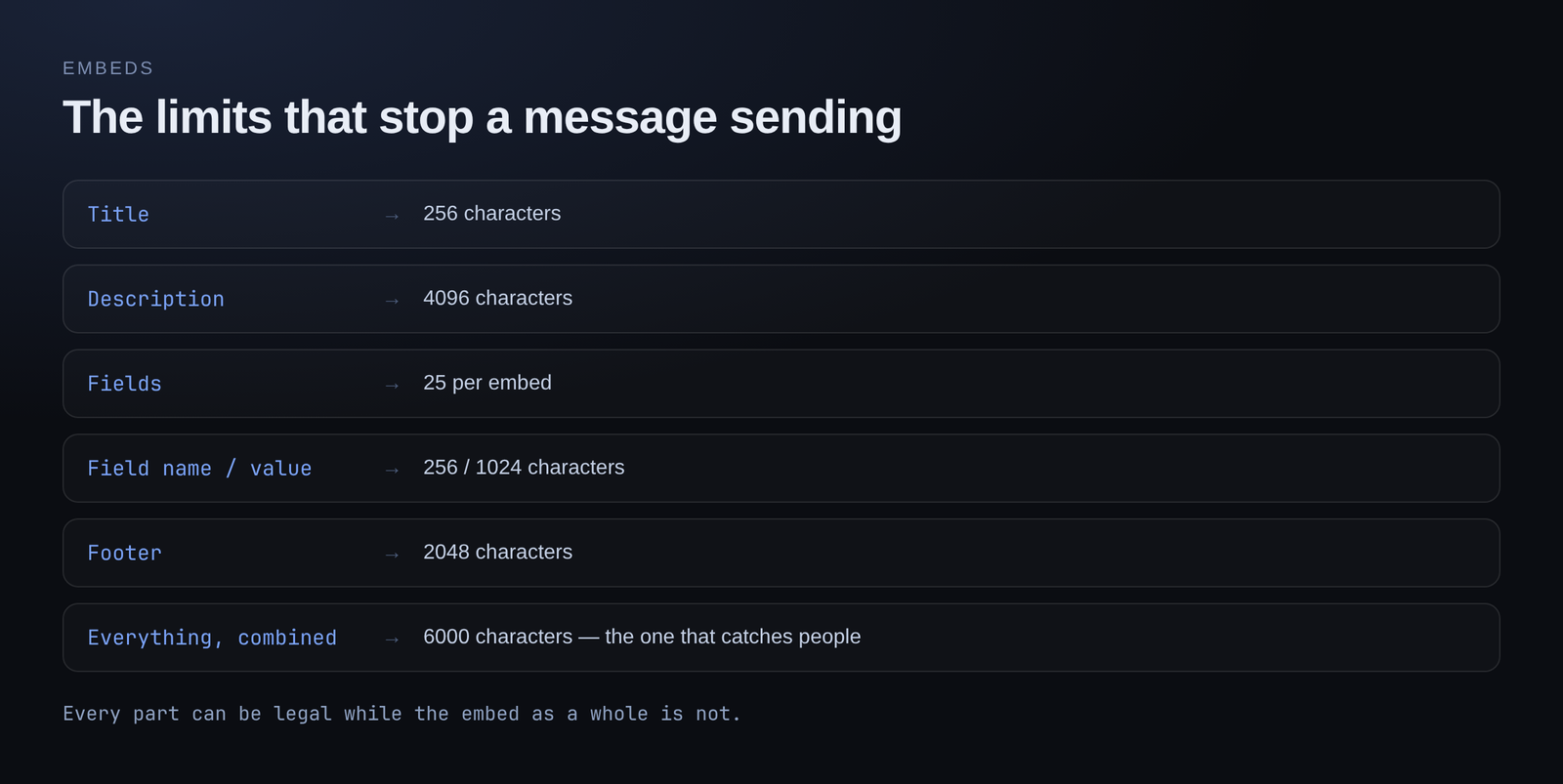
These are Discord's, not any bot's, and hitting one means the message simply does not send:
| Part | Limit |
|---|---|
| Title | 256 characters |
| Description | 4096 characters |
| Fields | 25 per embed |
| Field name | 256 characters |
| Field value | 1024 characters |
| Footer | 2048 characters |
| Author name | 256 characters |
| Total across all parts | 6000 characters |
That last row is the one that catches people. Every individual part can be legal while the embed as a whole is not.
Things that look like they should work and do not
Masked links in plain messages. [text](url) renders inside an embed description. In a normal message it does not — you get the raw brackets. If you want a tidy link, it has to be in an embed.
Markdown in field names. Field names render plain. Formatting only applies to the description and field values.
Images by upload. An embed image is a URL. If your image lives on your computer, it needs to be hosted somewhere first.
Use the live preview
Embeds are fiddly enough that guessing wastes time. Build them somewhere that renders exactly what Discord will render, as you type — the colour, the field layout, the wrapping.
The alternative is save, trigger, look, adjust, repeat, and that loop gets old at about the fourth iteration.
Reuse them
An embed you have built once should be reusable. A rules embed, a ticket panel, a shop listing — build it, name it, and attach it to any command or message that needs it. Editing the embed then updates everywhere it is used, instead of you hunting through six commands.
Free plan
10 embeds on the free plan, with the visual builder and live preview, no card required.
Loading comments…