
Discord slash command options, and how to stop people typing the wrong thing
Typed options turn a command from a text box into a form. Members pick a member, a channel or a role, and your command receives something valid every time.
Md Shahriyar Alam
a month ago
The difference between a slash command that works and one that generates support questions is almost always the options.
A command that takes one free-text field will be handed nicknames, pasted ids, message links and empty strings. A command with typed options is handed exactly what it asked for, because Discord will not let anyone submit anything else.
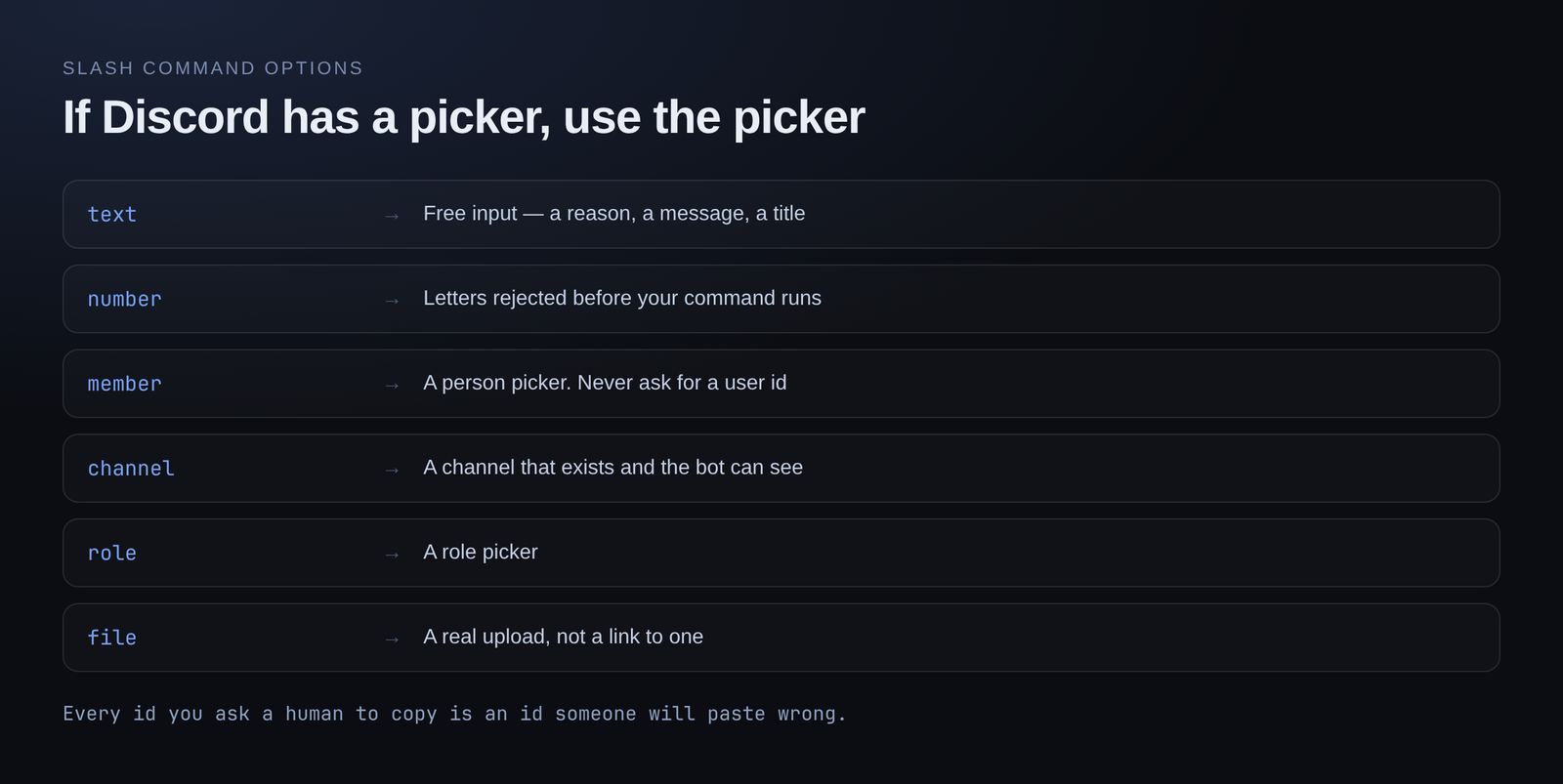
The types, and when each earns its place
Text — free input. Fine for a reason, a message, a title. If you find yourself asking people to type something that exists as an object in Discord, use one of the types below instead.
Number — an amount, a count, a duration in minutes. Discord rejects letters before your command ever runs, so you never handle "five" when you expected 5.
Member — a person picker with autocomplete. Use this any time the command acts on someone. Never ask for a user id.
Channel — a channel picker. Same reasoning: a channel you were handed is a channel that exists and that the bot can see.
Role — a role picker.
File — an actual upload rather than a link to one.
The rule of thumb: if Discord has a picker for it, use the picker. Every id you ask a human to copy is an id someone will paste wrong.
Choices: when there are only a few valid answers
If an option has a fixed set of answers, attach choices to it. Discord shows them as a dropdown, and nothing outside the list can be submitted.
Good candidates:
- A difficulty: easy, normal, hard
- A category for a ticket: billing, bug, other
- A duration preset: 10 minutes, 1 hour, 1 day
This removes a whole class of bug. You no longer need to handle "Easy", "easy ", "EZ" and a typo — you get one of your three values or the command does not run.
Autocomplete: when the list is long or changes
Choices are static and capped. When the valid answers depend on your data — the items in your shop, the events you have scheduled, the tags in your server — use autocomplete instead.
The member starts typing, your command supplies matching suggestions, and they pick one. It is the same experience as the member picker, over your own data.
Worth knowing: autocomplete suggestions are a suggestion, not a guarantee. Someone can still submit text you did not offer, so validate the value when the command runs.
Required versus optional
Mark an option required and Discord will not let the command be submitted without it. That is better than checking for it in your code and replying "you forgot the reason", because the person never gets to make the mistake.
Make it optional when there is a sensible default. /rank with an optional member option is a nice pattern: no member means yourself, a member means look up theirs.
Order matters more than you would think
Discord requires all required options before optional ones. Beyond that, put the option people think of first, first.
For /warn, that is the member. For /give, the recipient. The one people are thinking about when they type the command name.
Descriptions are read
Every option has a description and it shows in the Discord UI while someone fills the command in. It is the only documentation most people will ever see.
"The member to warn" is useful. "member" is not.
Where this leaves you
A well-optioned command is close to self-documenting:
/warn member:@someone reason:spamming
Anyone reading that knows what happened. Anyone running it was walked through it by Discord. And your command received a real member and a non-empty string, without a single line of validation.
Typed options, choices and autocomplete are all on the free plan.
Loading comments…