
Discord timestamps, so nobody has to do timezone maths
Post a time once and every member sees it in their own timezone, counting down live. The format, the styles, and where it does not work.
Md Shahriyar Alam
a month ago
If your server has members in more than one country, every message like "event starts 8pm" costs somebody a Google search and gets somebody else there an hour late.
Discord has a built-in fix and almost nobody uses it.
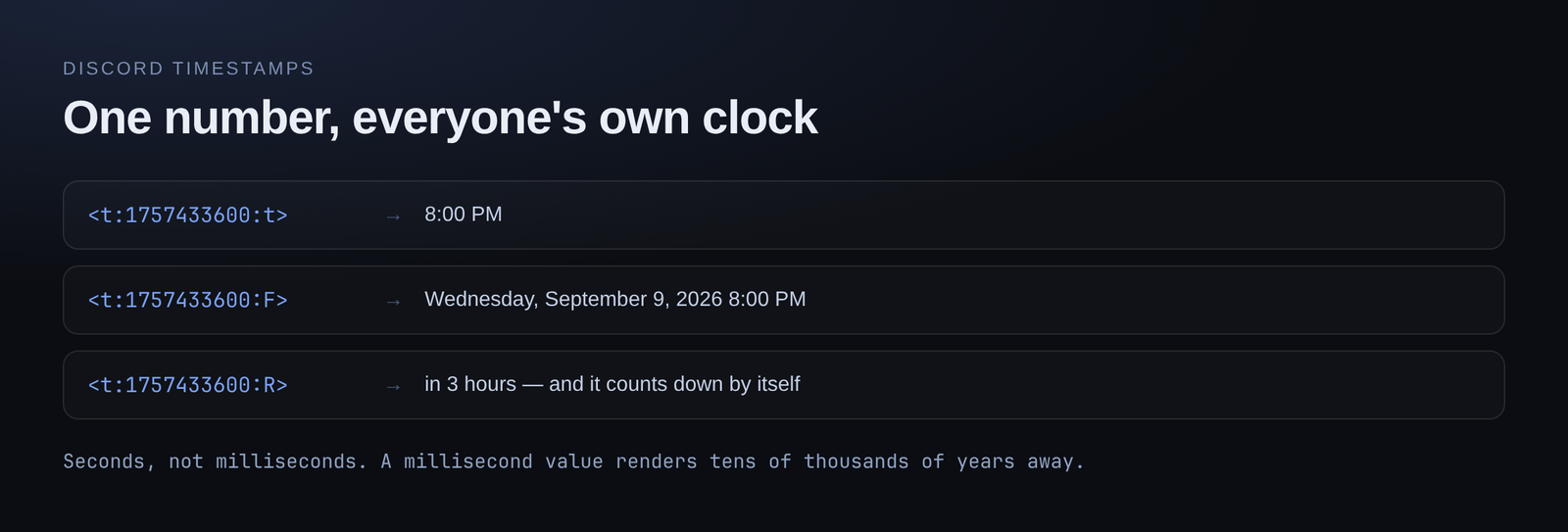
The format
<t:1757433600:F>
Two parts: a Unix timestamp in seconds, and a style letter.
Post that, and every member sees the same moment rendered in their own local timezone, in their own locale's format. You write one thing; everyone reads it correctly.
The styles
| Style | Renders roughly as |
|---|---|
t | 8:00 PM |
T | 8:00:00 PM |
d | 09/09/2026 |
D | September 9, 2026 |
f | September 9, 2026 8:00 PM |
F | Wednesday, September 9, 2026 8:00 PM |
R | in 3 hours |
Leave the style off and you get f.
R is the one worth knowing
Relative style renders as "in 3 hours" or "2 days ago", and it updates by itself as time passes. No editing, no cron job re-posting the message.
That makes it the right choice for anything with a countdown:
- Event announcements
- Cooldowns and "try again" messages
- Sale or giveaway end times
- Maintenance windows
The pattern most servers land on is both: <t:...:F> for the exact moment, then <t:...:R> in brackets for the countdown. Precise and glanceable at once.
Getting the number
The Unix timestamp is seconds since 1 January 1970. Three ways to get one:
From a command. If you are building the message in a command, work it out there — this is the usual case, and it means the time is always right relative to when the command runs.
From a converter. Plenty of sites turn a date picker into a Unix timestamp.
By hand, if you enjoy that sort of thing.
Watch the units. Some tools give milliseconds. Discord wants seconds. A millisecond value renders as a date tens of thousands of years away, which is at least an obvious failure.
Where it does not work
Channel names and topics. They render as raw text. A voice channel named Event <t:...:R> shows the code, not a countdown.
Embed titles and field names. Same — plain text only. Timestamps work in an embed description and in field values.
Bot status. Plain text.
The rule: if the surface supports markdown, it supports timestamps. If it does not, it does not.
The embed timestamp is a different thing
Embeds have their own timestamp setting, which puts a rendered time in the footer. That is separate from <t:...> and only gives you the one position and format.
Use the footer timestamp for "when this was posted". Use <t:...> in the description for "when the thing happens". They answer different questions and a lot of embeds want both.
Small habit, real payoff
Once your server posts times this way, the "wait, is that your 8pm or mine" replies stop entirely. It costs nothing, works on every client, and needs no bot at all — though having a command generate it means nobody has to think about Unix seconds.
Build a command that posts them →
Loading comments…